

Maria
An agent that asks the same question twice
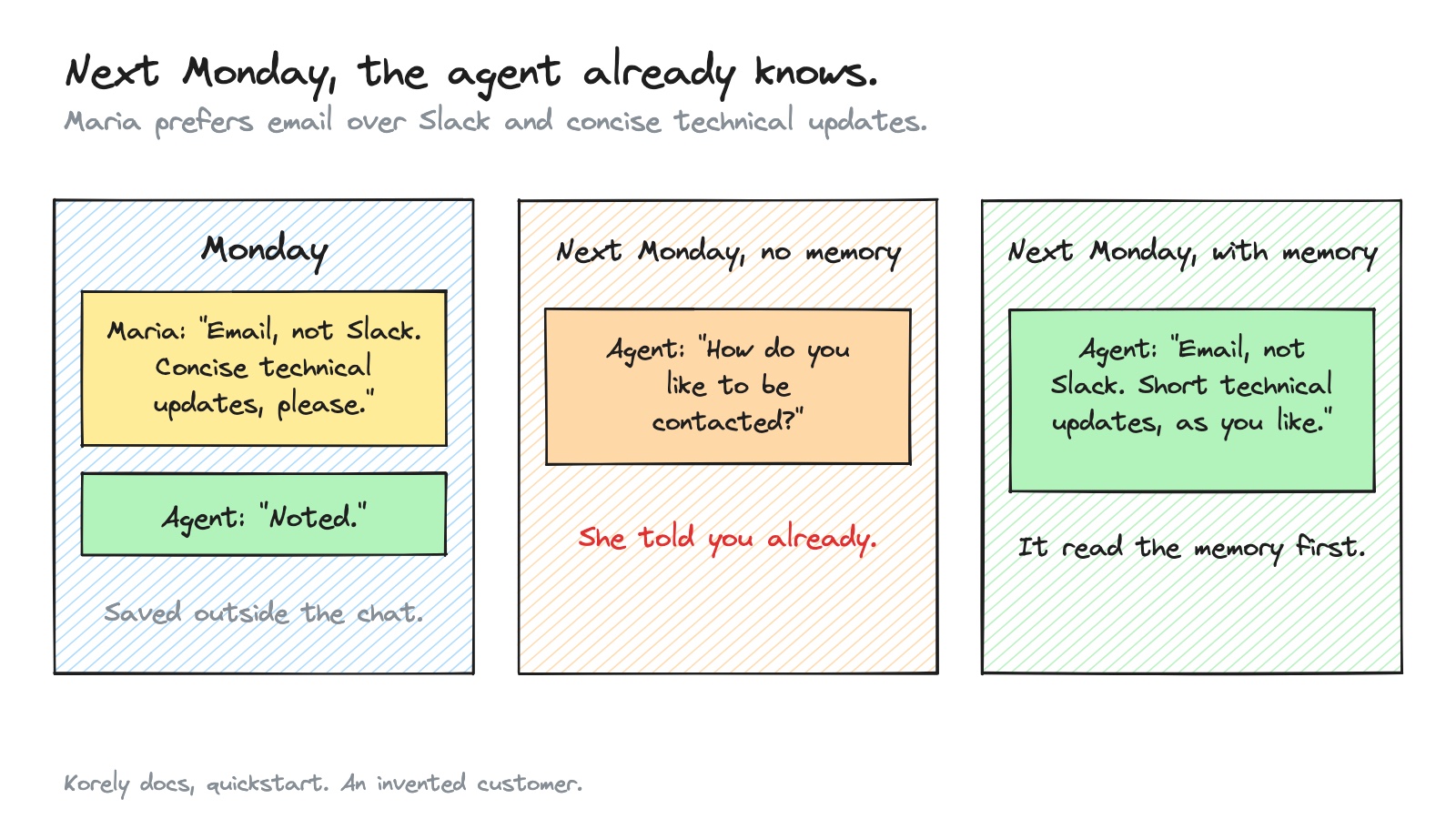
"How would you like us to contact you?"
Maria has answered that one before. Last Monday she told your support agent: email, not Slack, and she wants concise technical updates. The agent said "Noted." It noted nothing. Today's chat is a new one, and the agent had nowhere to write it down.
Long-term memory is that place, outside the conversation. The agent writes what it learned there and reads it back before it answers.
Korely
How Korely gives an agent a memory
Korely is the box those cards go in: a memory service for AI agents. Your code sends it text, and later asks what it knows. Korely is not a replacement for your CRM, your billing system or your database: those stay the source of truth for business state, like a renewal date or who owns the account. Use memory for preferences, decisions, conversational context and what the agent learns, such as how a customer likes to be contacted. This is adapted from the Korely Quickstart:
from korely_memory import Korelykorely = Korely()  # reads KORELY_API_KEY from the environmentkorely.add(    "Maria prefers email over Slack and wants concise technical updates.",    user_id="customer-4812",)
# Later, even in a new session:ctx = korely.get_context(    query="how does Maria like to be contacted?",    user_id="customer-4812",)# the block goes into the promptsystem_prompt = "You look after customers.\n\n" + ctx.context# send system_prompt to your model together with the customer's new message
add stores a sentence about one person. get_context returns a block
of text about that person, ready to put in the agent's prompt: you pass it to the model
together with the customer's current message. Korely is not the model. It prepares the
context the model uses. The block has a part called
"Known facts", with lines such as "Maria prefers email" and "Maria wants concise technical updates", and a part
called "Relevant memories", with the sentence you saved.
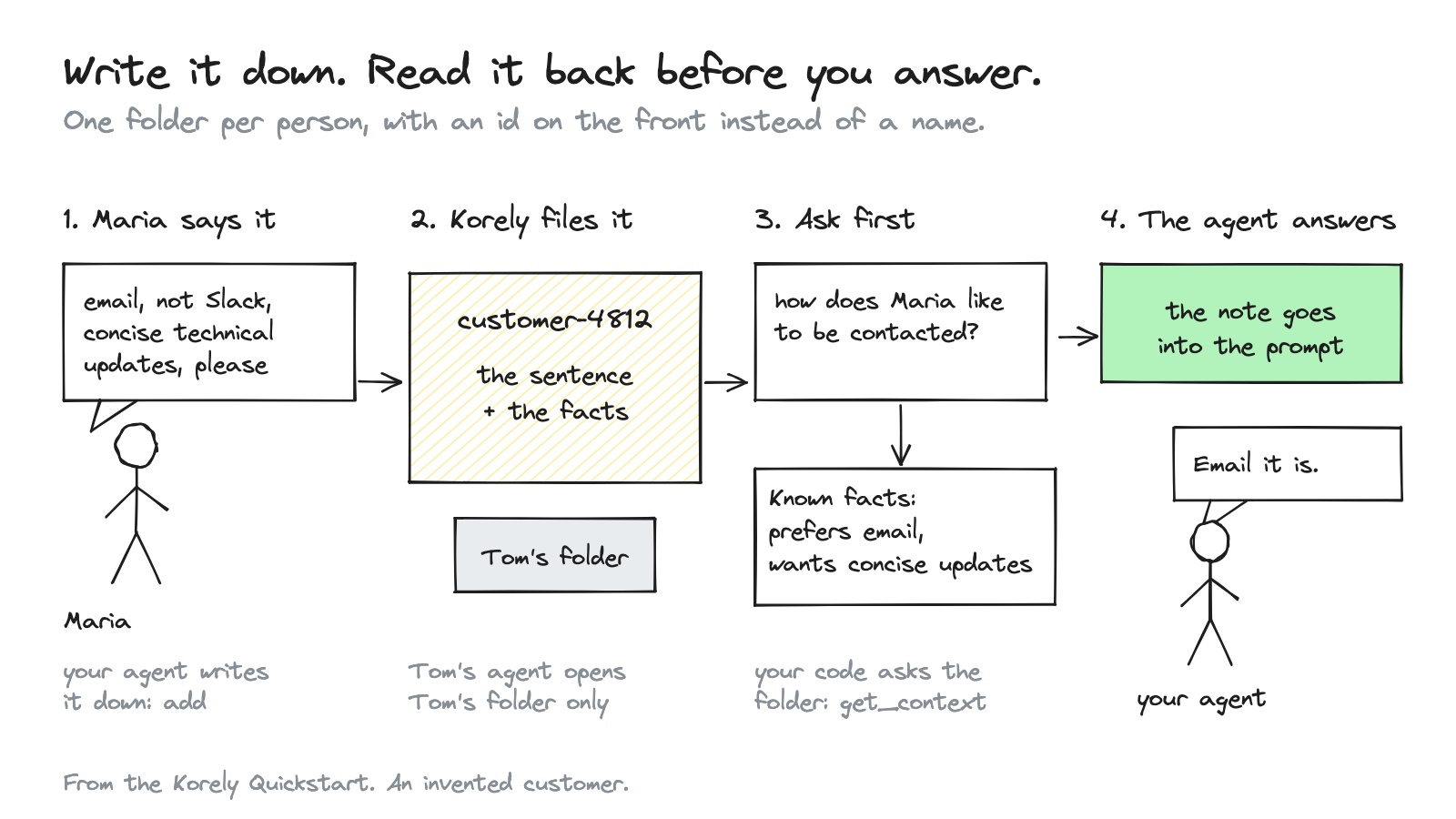
Korely only knows what your code sends it, so your code decides what's worth saving. A good rule of thumb is to save what the person would be annoyed to repeat. Save only what your application is allowed to keep, never passwords or API keys, and decide how a person's memory gets erased.
Steps
Get a key and install the SDK
You need Python 3.9 or later and a key. Sign up at agent.korely.ai and press Create my key on the home page. The key can read and write memories and can't manage your account, so it's the one to give the agent. It's shown once: copy it, then install the SDK and export the key wherever the agent runs.
pip install korely-memoryexport KORELY_API_KEY="kor_live_..."A key lasts 90 days unless you pick another length on the API Keys page, and on the Cloud no key lasts more than 365 days. Rotate it on the same page before it ends.
This guide uses Korely Cloud, which we run for you. The code is open source too, and you
can install it with Docker on a server you control (see
Install Self-hosted); you point the SDK at your server with base_url, use the key your install printed, and the rest of the code stays the same.
Many people
One memory per person
Say Maria and Tom both talk to your agent. Pass a user_id on every write and on
every read, and each of them gets a memory of their own. A read with Maria's id returns only
Maria. A read without a user_id covers every end user of the project, and Tom's
agent could get Maria's preferences too.
Choose an opaque id such as customer-4812, not an email address or a name. And
don't skip it on a write: Korely asks every write to say whose memory it is, the person
(user_id), the agent writing it (agent_id), or both. A write that
names neither gets a 422 identity_required, and nothing is saved.
Take the user_id from your authenticated session and pass it from trusted
server-side code. Don't let the model or the end user choose it.
A normal project key can reach the project's memory data, and user_id narrows a
call but is not by itself a permission boundary. If an agent should only ever see some of
your end users, confine its key to them when you
make it on the API Keys page: a call for any other user is then refused with a
403.
Changes
When a fact about a person changes
Back in the spring your agent saved that Maria prefers detailed weekly updates. In November she says she now prefers a concise monthly summary, and the agent saves that too. Now there are two facts about how Maria wants her updates, and only one of them is true now.
Korely does the third. When it finds that a new fact contradicts an old one, it can give the
old fact an end date instead of deleting it. A model decides that, so for a fact that
matters, check the result. get_facts returns only the open facts, so the monthly summary is there and the weekly one is not. Ask with include_invalidated=True and you get the weekly one
too, with the day it stopped.
korely.add(    "Maria now prefers a concise monthly summary.",    user_id="customer-4812",)
# about ten seconds later, when the facts are written:for f in korely.get_facts(user_id="customer-4812", include_invalidated=True):    print(        f.subject, f.predicate, f.object,        "| from", f.valid_from, "| until", f.invalid_at,    )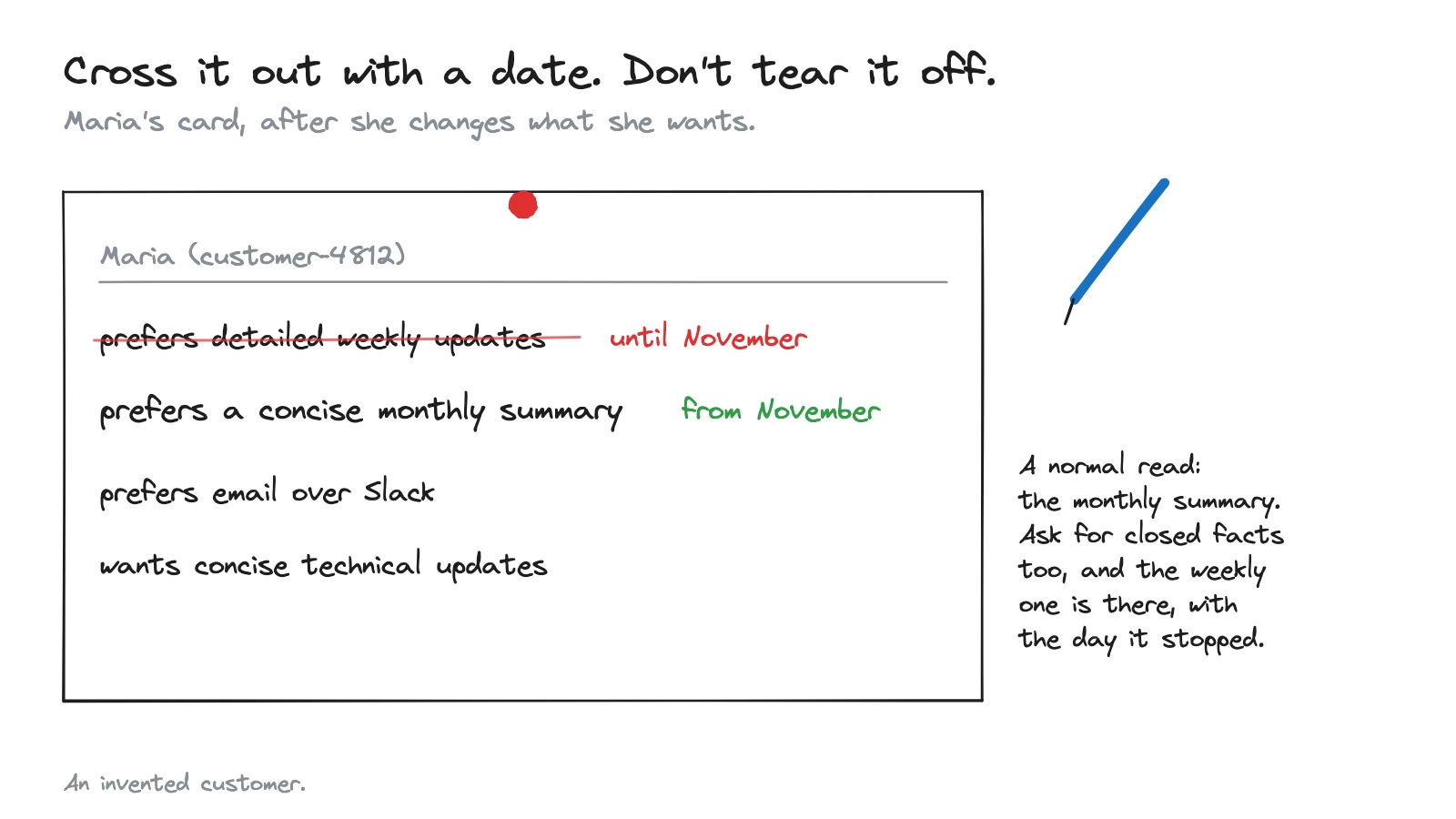
Which fact a new one replaces is decided by a model inside Korely, which we call the judge.
Two facts that can both be true stay open together: Maria can like coffee and tea. Every fact
has its own id, so you can read it back with get_facts and correct it with
correct_fact.
Optional
Processing time and other ways to connect
- Right after
add. Korely keeps your text at once and reads it into facts in the background, usually in about ten seconds. Until then the memory's status isprocessing, and a search already finds the text. The status then becomesready, orerrorif the facts couldn't be written; the text is saved either way. - Node. The same SDK:
npm install korely-memory, andnew Korely()reads the key from the environment. The key from the dashboard works for both. - Any other language.
POST /v1/memoriestakescontentanduser_id. The API reference has the rest.
Takeaways
Two things to remember
- Write after, read before. Your code saves what the person said, and reads it back before the next answer.
- When something changes, save the new information. Korely can close the older conflicting fact and keep its history. For critical facts, verify the result or correct the fact explicitly.
A week later Maria opens a new chat, with memory this time. Before the agent says a word, your code asks the memory about her, and the block it gets back carries what she told you: email over Slack, concise technical updates, and her current preference for monthly summaries. The agent has no reason to ask her again.
The Quickstart starts from Maria too. Run it, and your agent has its first memory.
FAQ
Questions about long-term memory with Korely
What does Korely keep: my text, or facts?
Both. Korely keeps every memory as you wrote it, and in the background a model reads it into short facts, such as "Maria prefers email". A search finds the text right away; the facts usually take about ten seconds. get_context hands your agent both in one block.
What happens when something about a person changes?
Korely checks whether the new fact contradicts an old one. If it does, the old fact gets an end date and stays readable, and a normal read returns only what is true now. A model makes that call, so for a fact that matters, read it back with get_facts and fix it with correct_fact if it is wrong.
Is Korely a replacement for my CRM or billing system?
No. Use those systems for business state that must be authoritative, such as plans, renewal dates and account owners. Use Korely for preferences, decisions, conversational context and what your agent learns. Do not store passwords, API keys or sensitive data you do not need, and decide how you will erase each person's memory.
Does every write need a user_id?
Every write needs to say whose memory it is: a user_id for the person it is about, an agent_id for the agent writing it, or both. A write with neither is refused with 422 identity_required, and nothing is saved. In a product with many people, pass the user_id on every read too.
Where is the data stored?
On Korely Cloud, which we run for you, your memories and facts are stored on our servers in Helsinki. Korely is also open source: you can install it with Docker on a server you control, and then the data stays there. The Data governance page of the docs has the details.